A free English app for Turkish speakers. Your lecturer’s English is transcribed on your phone; you learn with songs, speaking practice and spaced review. Turkish stays beside you where you get stuck, and steps back as you grow.
There is no iPhone app yet. Word review, the grammar map, patterns and the learning path work in the browser; Lecture Desk is Android-only.
When the download finishes, open the file; if asked, allow installs from this source. Install steps
Free
No account
No ads
Lecture audio never leaves the phone
TTerms stay in EnglishAudio stays on the phoneContinues when locked
Animation: an Operating Systems lecture in the Lecture Desk. English sentences stream in; the Turkish line shows according to the chosen level: under every sentence, only on tap, or off.
CSE 331 LIVE 14:02
Continues when lockedOn-device translation
When the timer fires, the kernel performs a context switch.
Zamanlayıcı tetiklenince kernel (çekirdek) bir context switch (bağlam değişimi) yapar.
Saving every register is pure overhead; consequently, switches are not free.
Kaydedilen her register (yazmaç) saf overhead (ek maliyet) demektir; bu yüzden geçişler bedava değildir.
If a thread holds a mutex and waits for another, we can get a deadlock.
Bir thread (iş parçacığı) mutex (karşılıklı dışlama kilidi) tutup bir başkasını beklerse deadlock (kilitlenme) oluşabilir.
deadlockTERM
kilitlenme
Add to my list
Lost me
TurkishEnglish
Beside. English first, Turkish under every sentence. Terms stay in English; their Turkish appears in brackets only the first time.
Sped-up animation with example sentences. In the app text arrives in chunks of about 30 seconds. The app’s interface is fully available in English.
2,800words in A1–C1 packs, each with an example
112mini lessons on an 8-track learning path
120improv scenes, Turkish situation, English answer
33grammar castles from A1 to C1
23songs in the ready-made karaoke catalogue
138speaking patterns across 15 functions
Counted from the content of app version 0.8.1.
Why SpeakSmith
What isn’t there matters as much as what is.
Yes
On-device transcription. Lecture audio is processed by the Whisper model on the phone.
Turkish that steps back. You choose how much you see; the app tells you, with a number, how much you looked.
A core that works without AI. Lecture Desk, word review, grammar, patterns, shadowing and karaoke.
Your own AI, if you want. A free on-device model on Android (7 models, 378 MB to 3.1 GB) or your own cloud key. Nothing downloads by itself.
No
Account. No sign-up, no email, no phone number.
Ads or analytics. No ad, analytics or tracking libraries. The one exception: on Android, Google ML Kit (on-device translation) may send technical metrics to Google.
Subscription. The app is free, with no in-app purchases.
Invented terms. A term without a known Turkish stays blank instead of being machine-translated.
The transition zone
Turkish is the bridge. English is the destination.
In ecology, the strip where two habitats blend is called an ecotone. SpeakSmith builds one from Turkish to English: you are always inside English, you choose how much Turkish support you use, and you pull it back as you get ready.
TurkishEnglish
Beside
Turkish under every English sentence. Terms stay in English with their Turkish in brackets the first time only.
On tap
Turkish hidden. Tap “TR” on the sentence you are stuck on; only that one opens.
Off
English only. Tapping a word still opens its card. The exam will ask for the English anyway.
Your turn
In improv the situation is given in Turkish and you answer in English; hints open only when you ask. In presentations you speak for 1–3 minutes.
The lecture summary tells you, with a measured number, how much you relied on Turkish. After three lectures with very little Turkish, the app suggests moving one level up, once; the level never changes by itself. When you reread a lecture you pick Both, EN or TR first; even in TR first the English stays on screen.
One app
From lectures to songs, from chats to review.
Every card is a feature that works in today’s version. Tags tell you what it needs.
Put the phone on the desk. Let the lecture flow in English.
The lecturer speaks; sentences appear on screen. The on-device Whisper model does the transcription: after a one-time download no internet is needed and audio never goes to a server.
01 · INTRODUCE YOUR COURSE
Terms don’t get mangled, because the app knows your course.
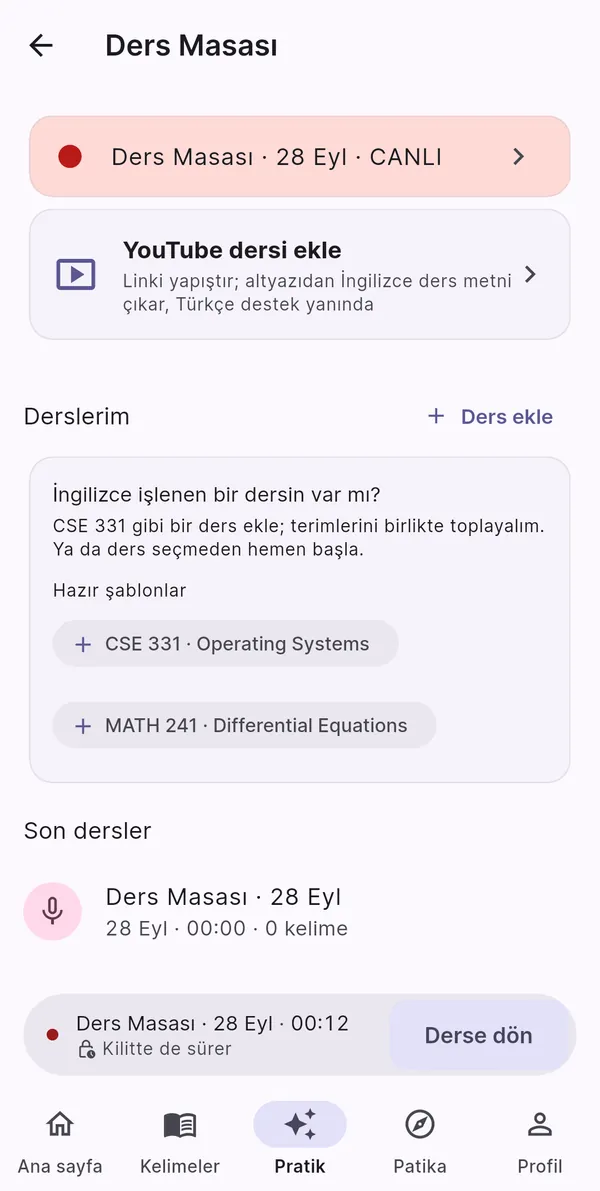
Operating Systems (118 terms) and Differential Equations (68 terms) come as ready templates. Paste your syllabus or pick its PDF and term candidates are found offline; you choose which to add. A term with no known Turkish stays blank instead of being machine-translated.
02 · BEFORE YOU START
A classroom microphone, permissions in plain words.
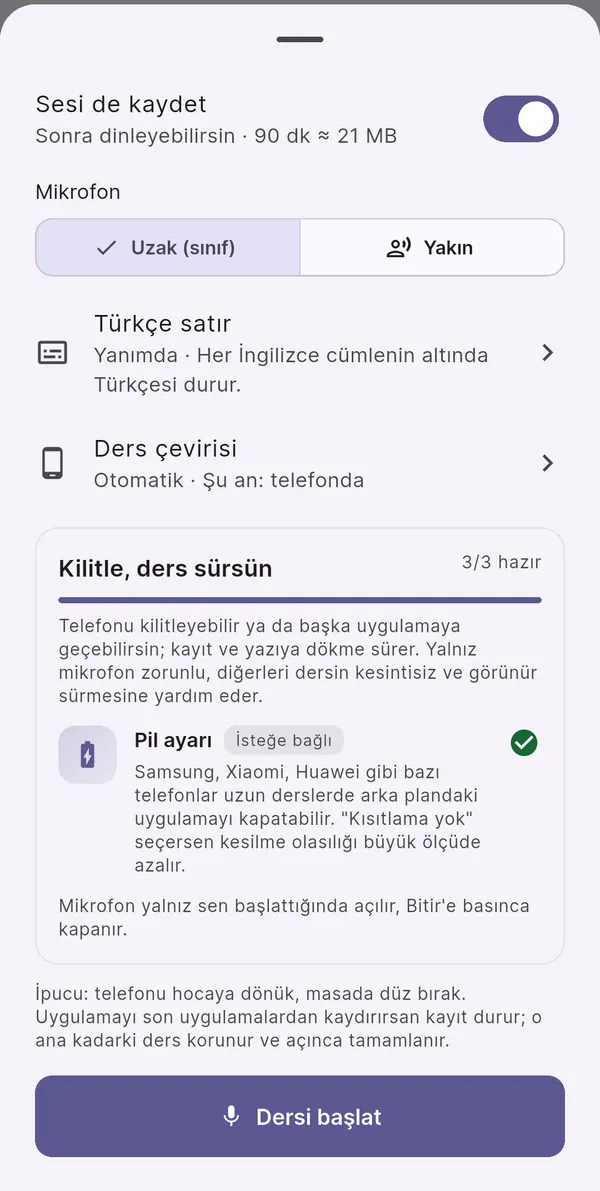
In “Far (classroom)” mode the phone uses a suitable microphone source; audio is filtered and boosted up to 12×, and silent chunks are never sent for transcription. You pick the Turkish line level and the translation route here, and optionally keep the audio (90 minutes ≈ 21 MB).
03 · LOCK IT
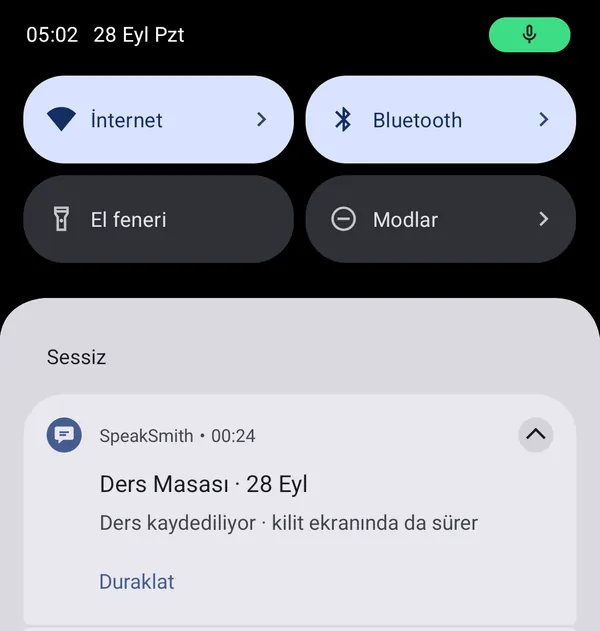
Lock the phone. The lecture keeps going.
Recording and transcription continue with the screen locked or in another app, with a quiet notification showing the time and a Pause button. Text is saved every 30-second chunk; if the app closes mid-lecture, the rest is transcribed on the next launch.
04 · WHEN YOU COME BACK
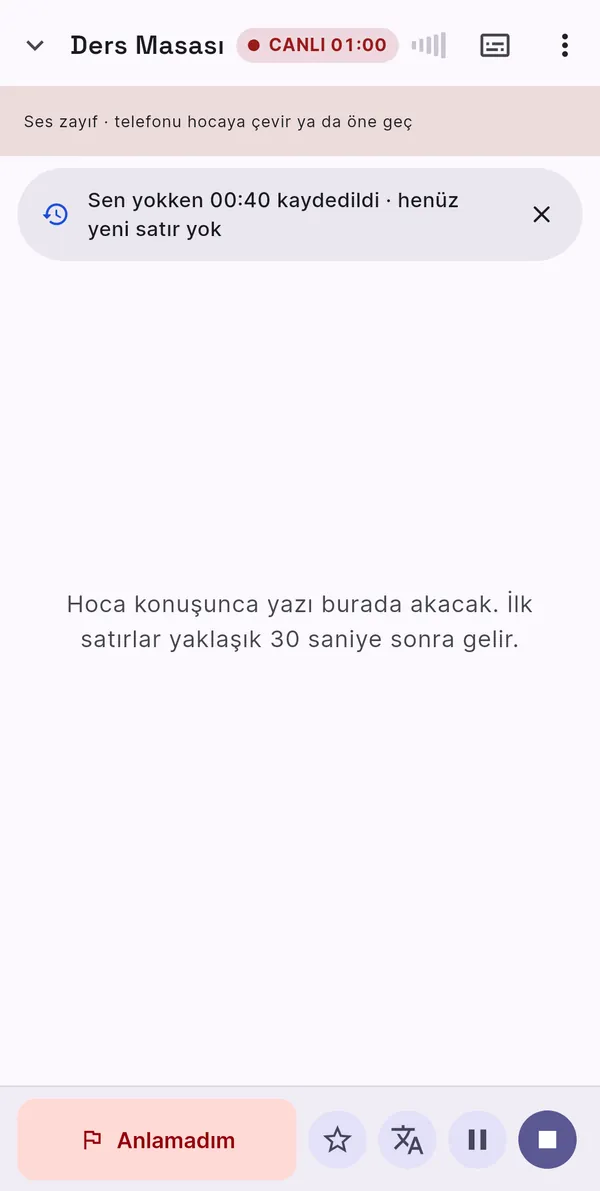
“Recorded 00:40 while you were away.”
Back at the desk it tells you plainly what happened, how many new lines arrived, and if recording stopped it says so and offers “Continue”. Sentences you flagged with “Lost me” (placed 2 seconds back) land under “Questions for the lecturer” in the lecture notes, with or without AI. Later you can reread it as Both, EN or TR first, and have its Turkish lines translated again.
Good to know: transcription is not real-time; the first lines arrive after about 30 seconds. The models transcribe English speech only. Ask your lecturer and school before recording.
Get the APK for Lecture DeskLecture Desk runs in the Android app. A YouTube lecture comes in via Share › SpeakSmith › “Watch as a lecture”.
Karaoke · a 23-song catalogue
Listen, sing, fill the gap.
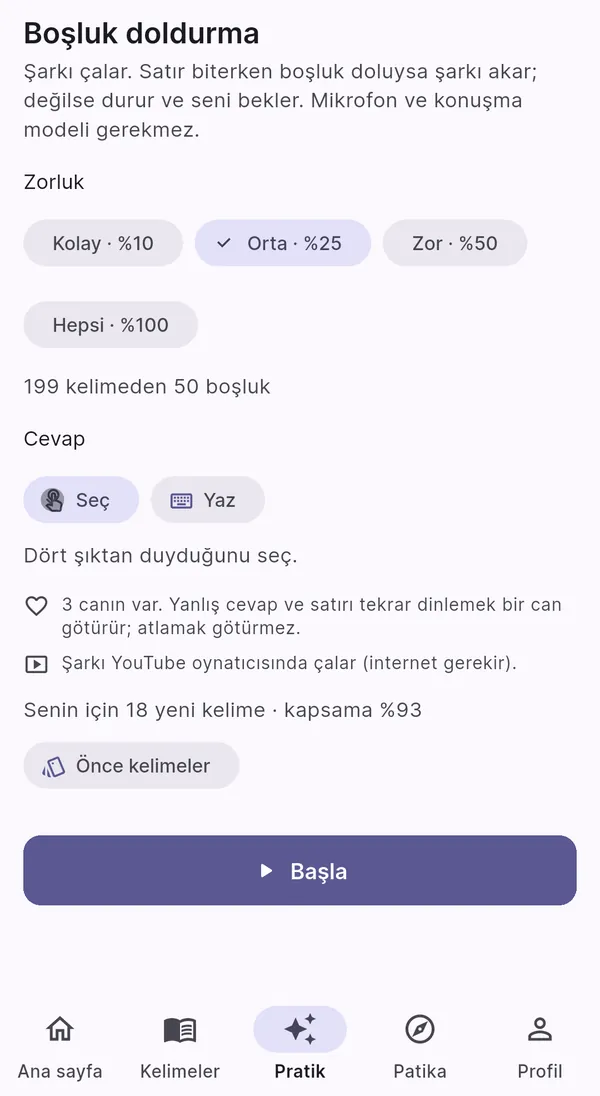
23 songs from A1 to C1 on shelves by level, yours first. One tap prepares the lyrics and opens the player. Words fill as they are sung, with the line’s Turkish underneath if you want it.
♪
Sample songLyrics written for this page
A2 · estimate
ListenKaraokeGaps
Wewalkalongthequietriver
Thecitylightsareontonight
Andeverywordcomesbacktome
river
nehir
Press play, then tap a word. In the app you get its meaning in context and one tap adds it to your list.
Shelves by level
A song’s level is estimated from its words, repetition and tempo, and is labelled “estimate”.
Line practice
Tap a line in the result or “Practise the 3 weakest lines”: the line loops, and tempo rises on good rounds.
Listen firstSing alongSolo
Hear yourself
Long-press a line: your voice first, then the original. The result stays in the player.
Scores that aren’t inflated
After the song, the words you sang are compared with the lyrics: a percentage per line, A–F for the song. A chorus you skipped doesn’t score full marks. Without headphones the original vocals can leak into the mic; that score is marked “estimate” and earns no bonus.
Fill the gap · try it♥♥♥
And every comes back to me
The song stopped here. Which word fills the gap?
Good to know: the catalogue holds only title, artist, level and tempo; lyrics and audio are not bundled. Songs play in the in-app YouTube player (internet needed), with lyrics from YouTube’s captions or LRCLIB. On Android, scoring and line practice use a one-time Whisper download and your recording never leaves the phone. In the browser the browser’s speech recognition scores you; unless you confirm “My headphones are on”, the score counts as an estimate with no bonus and no best score.
Real screen: the mic turned off when the phone locked.
Improv · 120 scenes · A2–C1
A Turkish situation, an English answer.
Hi, I think my package in your house.
Sorry — you want me to do what?
Sorry! A delivery for me was left with you. Could I pick it up?
Oh, the box! Sure, one second.
If the character really doesn’t understand you, it says so. Example chat; needs an AI coach.
Presentation · 1–3 minutes
Speak, get measured.
Without AI, right on the phone: words per minute, which filler word how often, and how many of 6 presentation functions you built. Topic chips need no AI either.
128 wpmum ×34/6 functions
Example numbers. If speech recognition or the mic permission is unavailable, you carry on by typing.
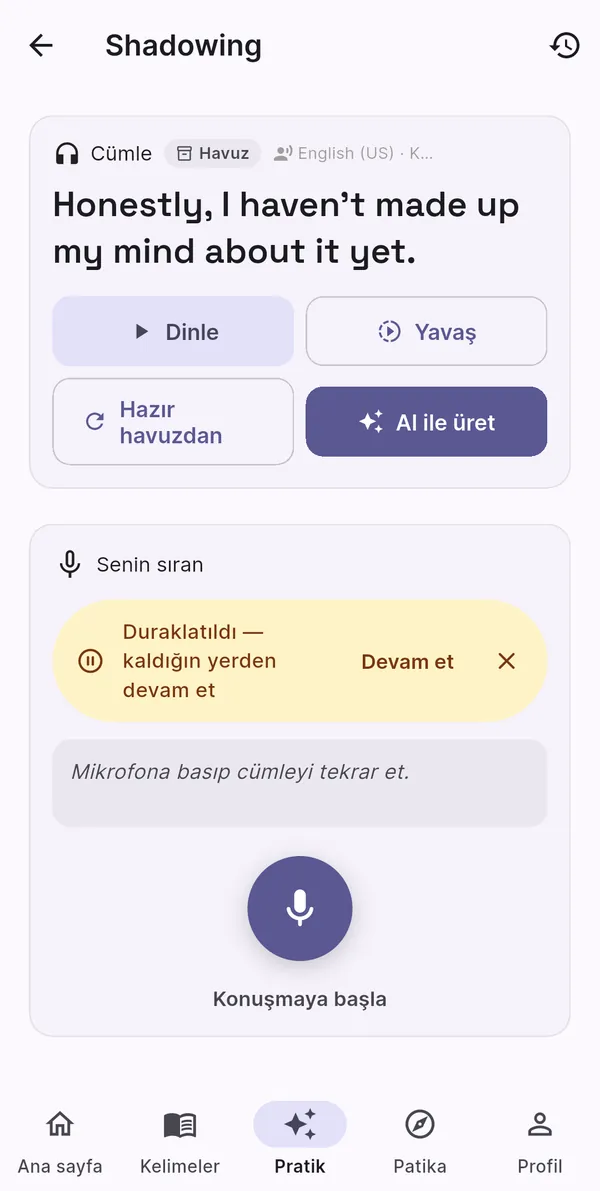
Shadowing · sentences for your level
Say what you heard, see what’s missing.
I’dliketorescheduleourmeeting
It checks the words you said; it is not a pronunciation or phoneme analysis.
Microphone · only when you start it
If it says “Listening”, it really is.
In shadowing, presentations, improv and spoken word review the mic turns off as soon as the phone locks or a window opens on top, and it doesn’t turn itself back on when you return.
Listening
Get the APK, play your first sceneShadowing and presentation metrics work from day one; improv needs an AI coach. The chat characters are fictional.
Words · Grammar · Patterns
Words come back at the right time.
FSRS-5 schedules each word’s next review. Due reviews always come first; new words join at your daily limit (10 by default). Words from lectures, songs and chats meet in the same deck.
3D flashcardTypingListeningSpeakingClozeMatching
2,800 words in A1–C1 packs, each with an example and its Turkish.
58 false friends, 47 with a tip for Turkish learners.
Grammar · conquest map
33 castles, 5 levels.
Each topic is a castle. Read the lesson, pass the offline mini exercise and the castle falls. When review is due it is marked “needs upkeep”.
The home screen tells you what to do today: the next path step, your daily goal, today’s plan. Day one starts with a small win that needs no AI. One missed day a week is bridged automatically, and a streak at zero simply says “Start your streak”; after a break of three days or more you get a welcome with no blame and +30 XP. Three small quests a week, doable without an AI coach, and 27 badges in 8 categories. Importing a word pack or CSV doesn’t fill your daily goal: a word earns its XP on its first successful review.
Home12 days
Next step on your pathShadowing3 sentences leftContinue
Tier 5437 / 1,118 XP
Daily goal35 / 50 XP
15 XP to go
Weekly quests1 / 3 done
Review 40 words28/40
6 shadowing lines6/6
+40 XP
Play 2 improv scenes1/2
Animation of the sections on the app’s home screen; example numbers.
Privacy and data
No account. No ads. Your data on your phone.
Progress, words and lectures stay on your phone and are excluded from Android cloud backup. Some features connect to third-party services (YouTube, LRCLIB, dictionary and translation services, model downloads and, only with your own key, cloud AI). The speaking practices use the device’s speech recognition service, which may send audio to its provider when no offline English pack is installed, and read-aloud prefers natural voices, which are often online voices from Google or Microsoft.
In the browser version your data is stored in this browser under SpeakSmith’s own keys, and “Delete all data” removes only SpeakSmith’s data. Clearing site data for mehmetyasinuzun.github.io in your browser settings also clears the developer’s other apps on that address (such as SevimliPati). Web API keys are encrypted, but the key that decrypts them sits in the same browser storage, so don’t enter a cloud key on a shared computer.
Won’t install? Versions before 0.5.0 were signed with another key: back up in Settings › Data management, uninstall the old app, install the new one and restore the backup on first launch. The universal APK is only for a first install on an unusual device: it does not install over an existing arm64 or arm32 SpeakSmith (Android treats it as an older version).
Coming from 0.7.0 or older? Those versions may not show update notices. Install the current version on top once from here; after that the app tells you about new versions.
Try in the browser · no install
Look first, then download.
Word review, the grammar map, patterns and the learning path work in the browser. Your data is stored in this browser, with no account or sync. Depending on the browser, the first load downloads about 7–14 MB; prefer Wi-Fi on mobile data.
Yes. No fees, no ads, no in-app purchases. An on-device AI coach is free too; if you connect a cloud provider, that provider bills your own account.
Does it work offline?
Once the speech model and the Turkish translation pack are downloaded, live lectures are transcribed and translated offline (unless cloud AI is selected). Word review, grammar, patterns, the path and the on-device AI coach also work offline. Adding YouTube content, playing catalogue songs, dictionary look-ups and cloud AI need internet.
Does it score my pronunciation?
No, and we don’t claim to. Shadowing and karaoke transcribe what you said and compare it with the expected text, so they check whether you said the right words. There is no waveform or phoneme-level pronunciation analysis.
Does it transcribe lectures taught in Turkish?
No. The on-device speech models transcribe English speech only. Lecture Desk is built for lectures taught in English.
Where do the karaoke songs come from?
The catalogue holds only title, artist, level and tempo. Lyrics and audio are not bundled: lyrics come at play time from YouTube’s English captions or LRCLIB, and the video plays in the in-app YouTube player. The option to also try downloading YouTube audio for offline use starts switched off, because YouTube usually doesn’t allow it.
You can add your own audio file too. If you pick “AI transcript (Whisper)” as the lyrics source while adding it, the on-device Whisper model writes the lyrics on Android; with no model on the phone (always on the web), the file is sent to OpenAI Whisper if your OpenAI key is saved. On a song you already added, “Get lyrics from the audio” uses only the on-device Whisper model (Android).
Is the app in English?
Yes. Every screen is available in Turkish and English; you choose in onboarding or in Settings. The app is designed for Turkish speakers, so Turkish support (translations, hints) is built in and can be reduced.
How do updates arrive?
On launch the app checks a public version file; if there is a new version it asks you and downloads the APK from the GitHub release page. No identity or usage data is sent.
If you use 0.7.0 or older, you may not see a notice: install the current version on top once from the download section, and the app will tell you about later versions.
Is there an iPhone app?
Not yet. You can open the browser version (first load ~7–14 MB); speech recognition there works best in Chrome and Edge and is limited in Safari. Lecture Desk and Whisper features are Android-only.
One lecture, one song, a few words today.
Start in minutes, without an account. Stay inside English; never alone.